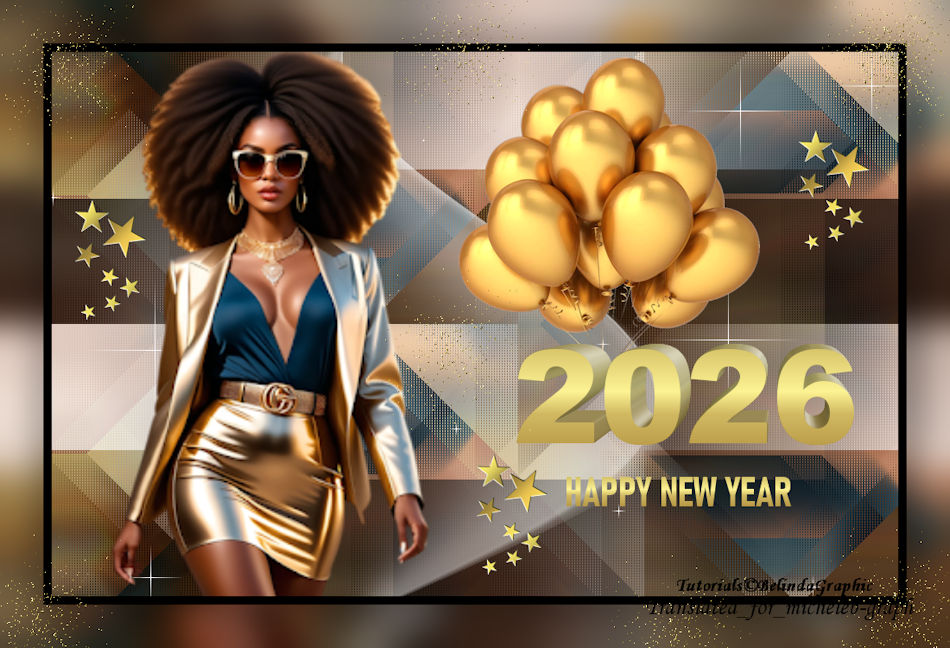
 I thank Belinda for allowing me to translate its tutorials into English Tutorial created by Belinda All copyright  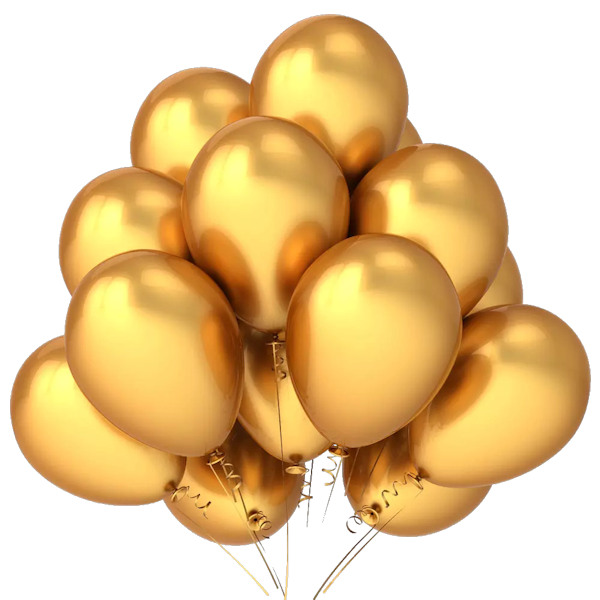 Material  The main tube is not in the material. Mine comes from Kamil’s blog HERE Place the "GOLD GRADIENT" in the gradient folder of your PSP.  Filters Mehdi - Sorting Tiles Simple - Pizza Slice Miror - Quick Tile Toadies - Sucking Toad - Bevel II 2 L&K - Katharina VM Natural - Sparkles Richard Rosenman - Solid Border 1 In the "Styles and textures" tab, place the DEGRADE GOLD GRADIENT in the foreground and configure your gradient as follows: 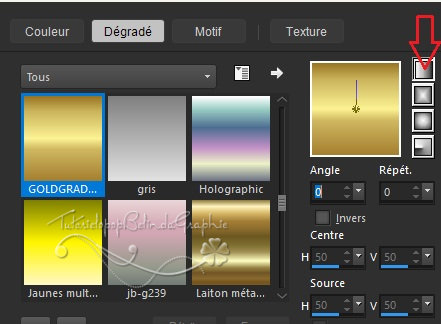 2 Open a new document of 1000*650 pixels, transparent. Paint Bucket Tool ° Fill the layer with the gradient. Selections < Select all. 3 Raise your main tube. Edit < Copy. Edit < Paste in the selection. Selections < Select nothing. Effects < Image Effects < Seamless Mosaic < DEFAULT, but the transition at 100. 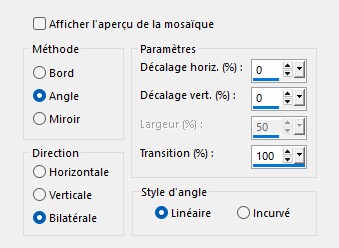 4 Setting <Motion Blur > Motion Blur. 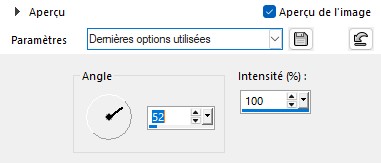 Repeat the effect 3 more times. 5 Effects > External modules > Medhi > Sorting Tiles. 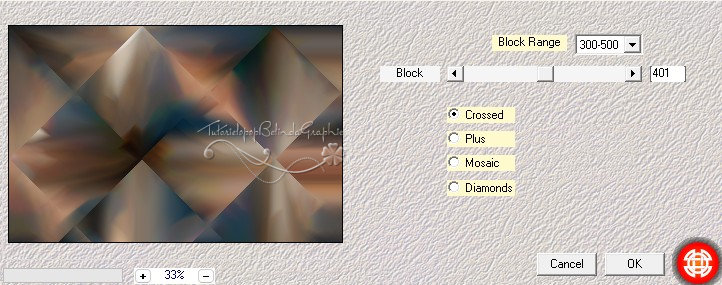 6 Effects < External modules > Simple > Pizza Slice Mirror Effects < External modules < Toadies < *Sucking Toad *Bevel 2.II 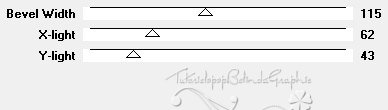 Effects < Plugins > Simple > Quick Tile. 7 Effects < External modules < L & K < Katharina 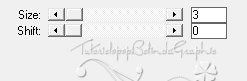 8 Effects < External modules < VM Natural < Sparkles. 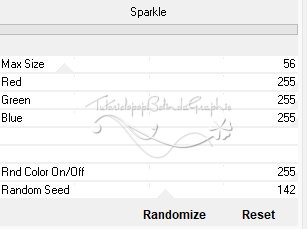 9 Take down the deco-2026 layer. Edit < Copy. Edit < Paste as new layer. He is in place. 10 Raise your main tube. Edit < Copy. Edit < Paste as new layer. Resize if necessary. Tool Select (K). HORIZ POS: 78 GREEN POS: 10 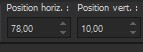 11 Take down the 2026-text layer. Edit < Copy. Edit < Paste as new layer. Tool Select (K). GREEN POS: 37 HORIZ POS: 100  12 Place yourself at the top of the layer stack. Take down the balloon layer-2026. Edit < Copy. Edit < Paste as new layer. Image < Resize this layer to 60%. Layers > Rearrange > Move down. Tool Select (K). HORIZ POS: 481 GREEN POS: 16  13 Edition < Special copy < Copy with merge. Layers < Merge visible layers. Effects < External modules > Richard Rosenman > Solid Border.  14 Image < Add 50-pixel borders of color #1d4762.  15 Magic wand tool > Zero tolerance > Select border. Edition < Paste in the selection. Setting <Blur > Gaussian Blur.  Selections < Select nothing. 16 Note down the deco2-2026 layer. Edit < Copy. Edit < Paste as new layer. He is in place. 17 Add your signature on a new layer. Layers < Merge all (Flatten). Image < Resize to 950 pixels wide. File > Save as JPEG. Your creation is complete You can send it to me by email  Gallery Index  Ce(tte) œuvre est mise à disposition selon les termes de la Licence Creative Commons Attribution - Pas d’Utilisation Commerciale - Pas de Modification 3.0 France. |