
Version 1 -
BelindaGraphic tubes
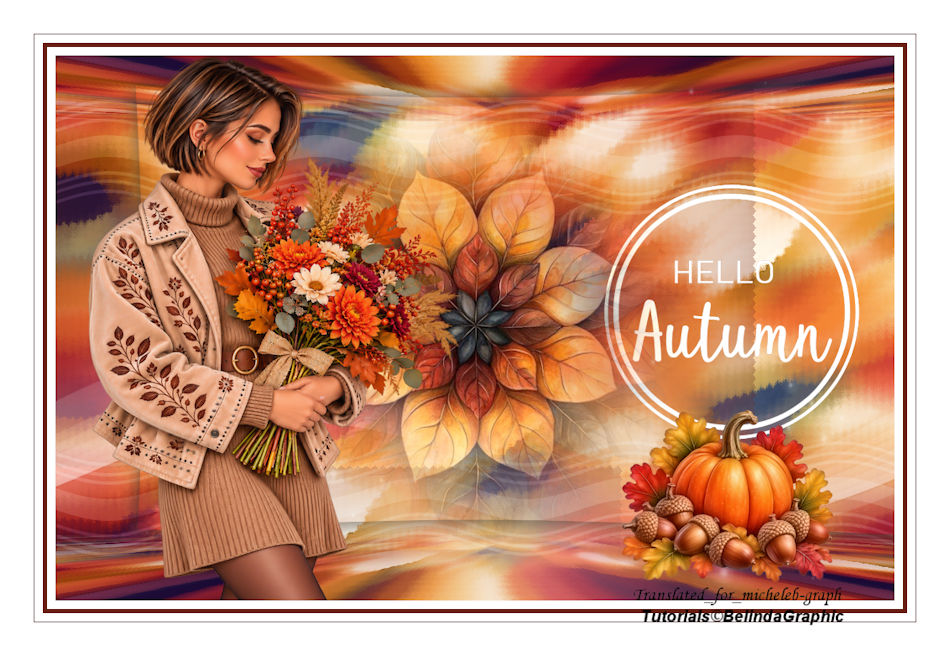
Version 2 - Images
found on Pinterest and clipped by me.

Thank you to BelindaGraphic
for allowing us to translate their tutorials.
Links to the original lesson
HERE
Material

Tube -
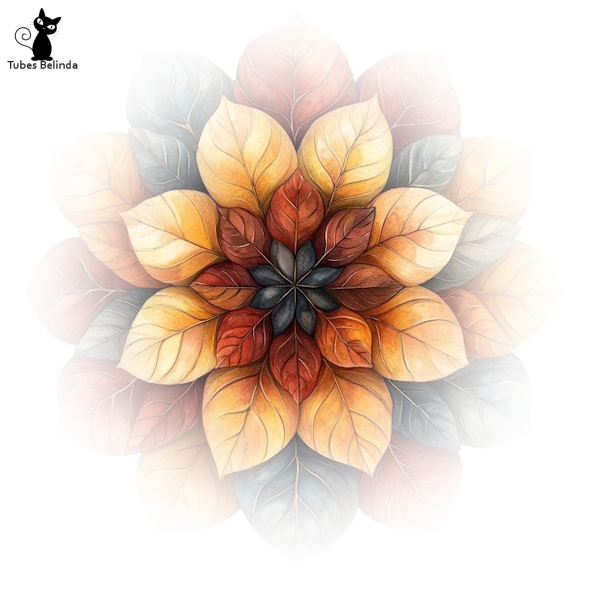
Fleur-Hello-Autumn
Tube
- Misted-Hello-Autumn
Mask
- cas_Mask_0915_01
Element - Rows
Text
- Autumn Text
Tube
- Woman-autumn-002-bg
Tube
- pumpkin-bg
The
flower used for the background comes from the Pinterest
site.
The rest of the
material belongs to Belinda and is forbidden for
sharing.

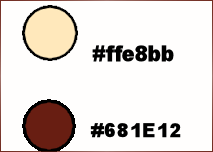
Colors
Plugins
Mehdi - WabyLab
Virtual Painter 4
AAA
Filters - Good Vibrations
MV's
Plugins - Pano Wrap
MuRa's Meister - Perspective Tiling
1
Open a new
document of 1000 × 650 pixels, transparent.
Filters - Mehdi - Wavy Lab
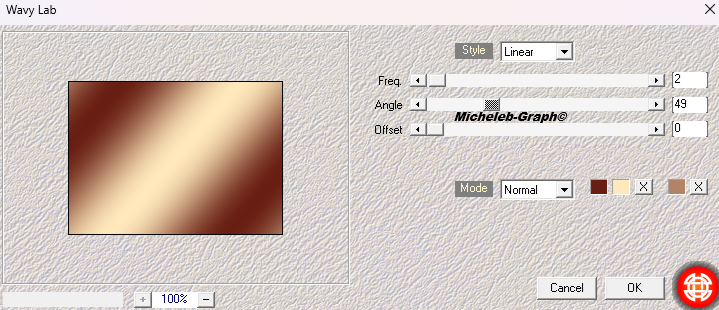
Selections - Select All.
2
Open and copy Fleur-Hello-Autumn.
Paste into selection.

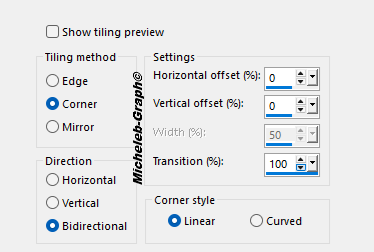
Effects - Image effects - Seamless mosaic.
3
Settings - Blur - Motion blur.
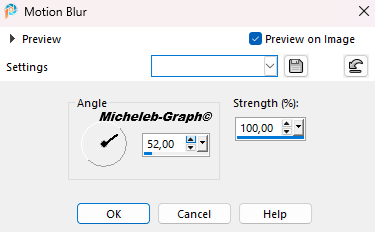
Repeat the effect 2 more times.
4
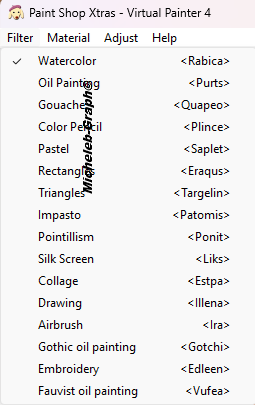
Filters - Virtual Painter 4. In the FILTER tab -
WaterColor
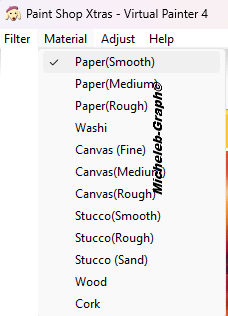
In the MATERIAL tab: Paper (Smooth).
5
Effects > Texture
effects < Textile.
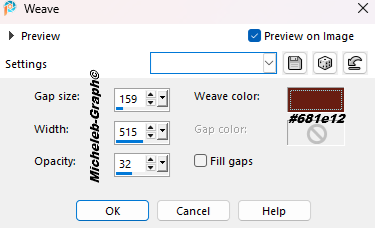
6
Filters - AAA Filters - Good Vibrations - Rumples

7
Selection Tool (S) - Custom Selection
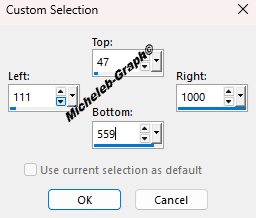
8
Open and copy Misted-Hello-Autumn
Paste as new layer
Effects - 3D - Drop Shadow - 1/1/50/30 - #000000
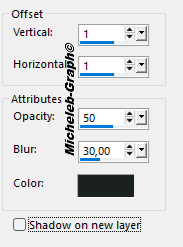
9
Filters - MV’s Plugins - Pano Wrap
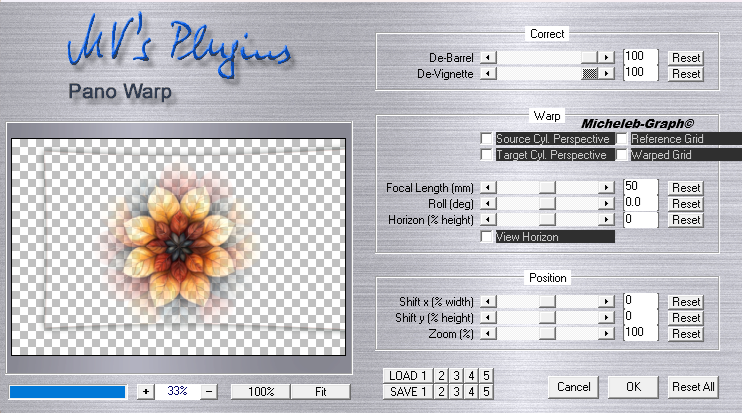
10
Enable Raster 1
Layers - new layer
Paint can tool - opacity set to 60% - Fill the layer
with white color #ffffff
Layers - new mask layer - from an image -
cas_Mask_0915_01
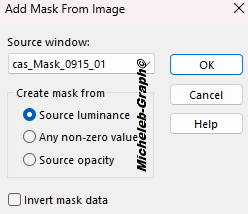
Layers - merge - merge the group
Adjustment - sharpening - sharpening
11
Open and copy the "Lines" layer
Paste as new layer
Fusion mode: Soft light
Layer opacity: 42%
12
Enable Raster 1
Layers - duplicate
Filters - MuRa’s Meister - Tiling Perspective
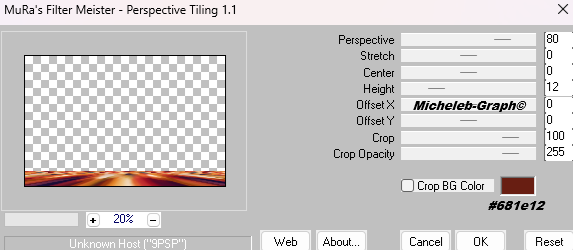
13
Activate your magic wand
Apply these settings

Click in the center of your tag, then press "delete"
three times on your keyboard
Don’t forget to set the progressivity of the magic wand
to 0.
14
Layers - duplicate
Images - mirror - vertical mirror
15
Open and copy the "Autumn text" layer
Paste as new layer
Image - resize to 80% - All layers NOT checked
Position (K on your keyboard) - POS HORIZ 654 - POS
GREEN 154
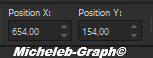
"M" to deactivate
16
Open and copy the "woman-autumn-002-bg" layer
Paste as new layer
Position (K on your keyboard) - POS HORIZ 36 - POS GREEN
-1
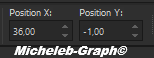
"M" to deactivate
17
Open and copy the "pumpkin-bg" layer
Paste as new layer
Image - resize to 62% - All layers NOT checked
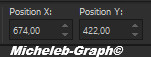
Position (K on your keyboard) - POS HORIZ 674 - POS
GREEN 422
"M" to deactivate
18
Image - add borders - 10 pixels - #ffffff
Image - add borders - 5 pixels - #681e12
Image - add borders - 10 pixels - #ffffff
Image - add borders - 1 pixel - #681e12
Image - add borders - 40 pixels - #ffffff
19
Add your signature
Add Belinda’s signature
Add my signature Micheleb-Graph translations
20
Layers - merge - merge all (flatten)
Image - resize to 950 pixels wide
Save as. Jpg
Your image is finished
Can you send it to me by email

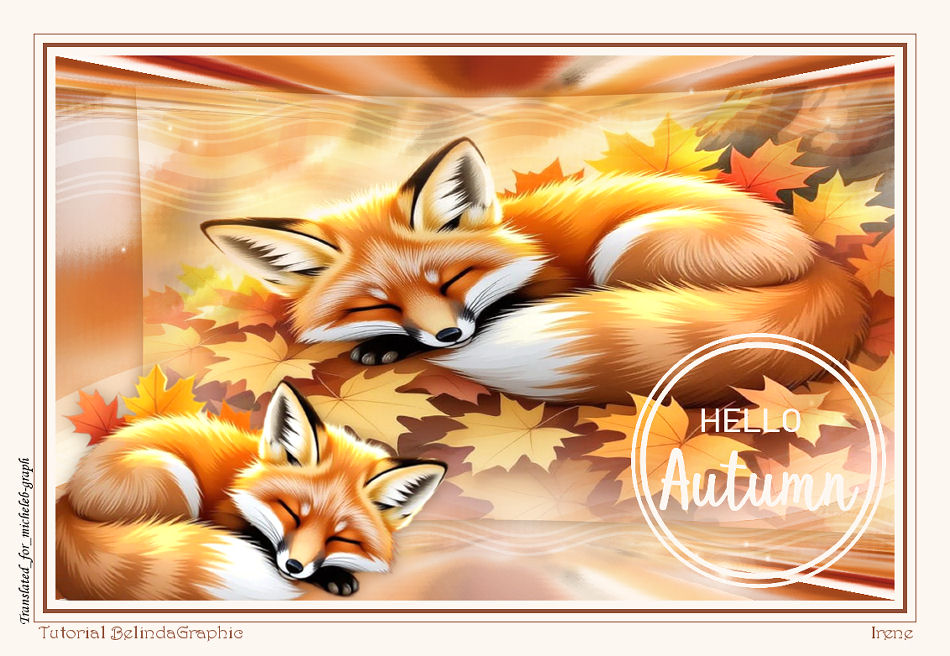
Version of my tester
Irène Smith
INDEX

Ce(tte) œuvre est mise à disposition selon les termes de la
Licence Creative Commons Attribution -
Pas d’Utilisation Commerciale - Pas de Modification 3.0 France. |
|
|