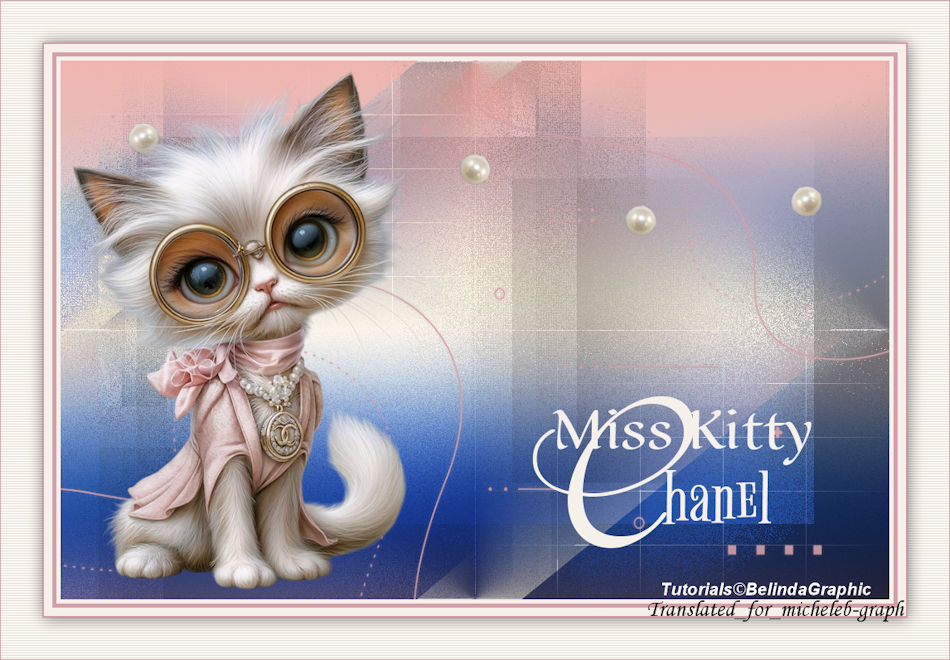
  I thank Cat Dana for the Cat 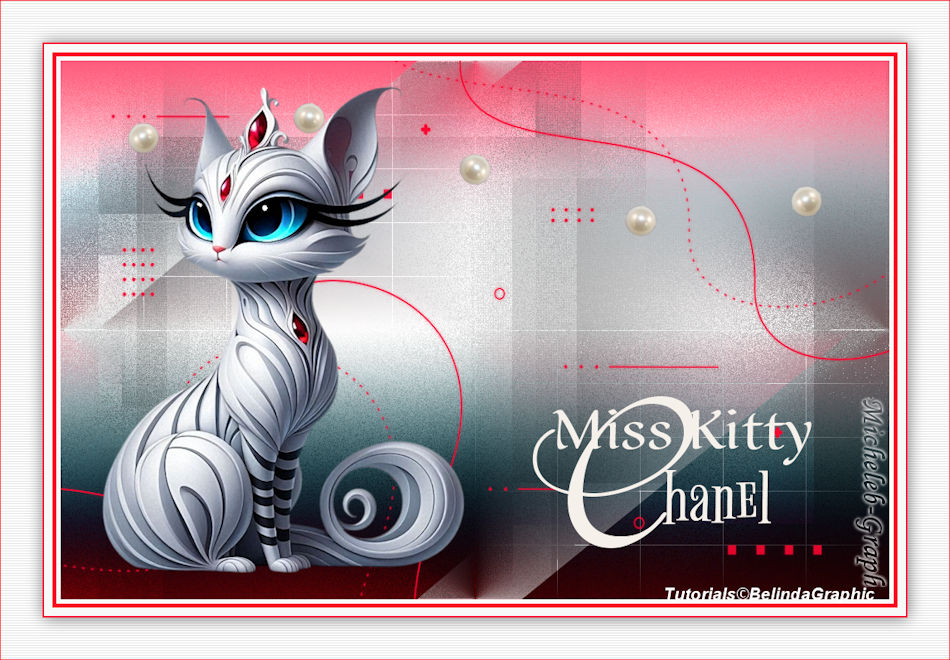 I thank Belinda for allowing me to translate her tutorials into English. The link to the original lesson is HERE  Material  Open and minimize the mask in your PSP Place the "Miss_Kitty" selection in the selection folder of your PSP ** Colors 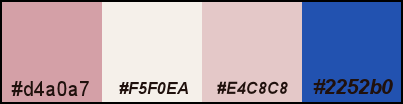 Foreground: #d4a0a7 Background: #f5f0ea ** Filters Mehdi - WavyLab 1.1 Toadies - What are You? L&K's - Katharina Richard Rosenman - Grid Generator PhotoEffex - ScanLines Unlimited 2.0 VM Natural - Weave Distortion Mock - Bevel 1 Open a new document of 1000 × 650 pixels transparent. Mehdi > Wavy Lab 1.1 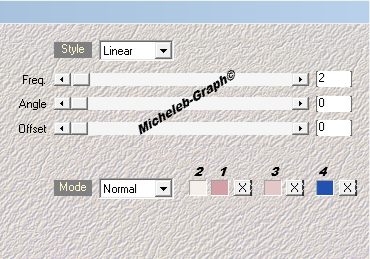 2 Layers > Duplicate. Filters - Unlimited 2.0 - VM Natural - Weave Distortion. 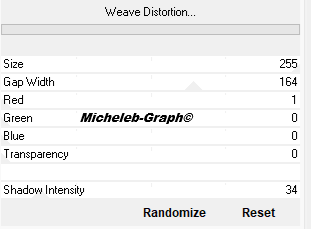 3 Filters - Toadies - What are You? 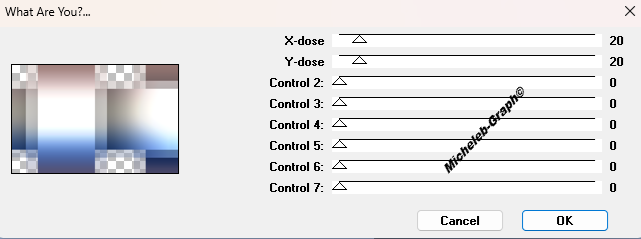 Filters - L&K's - Katharina 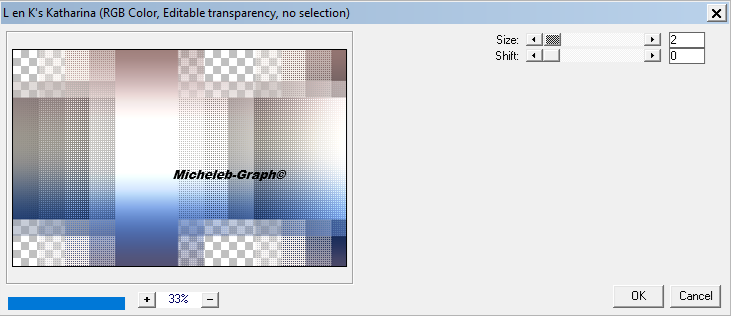 Layer blending mode: Multiply. Layer opacity: 69%. 4 Effects > Image Effects < Seamless Mosaic<Default. 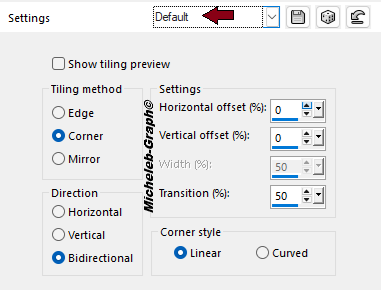 Filters - Unlimited 2.0 - Mock - Bevel 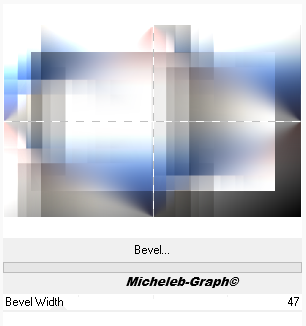 Merge visible layers. 5 Filters - Unlimited 2.0 - VM Natural - Speed. 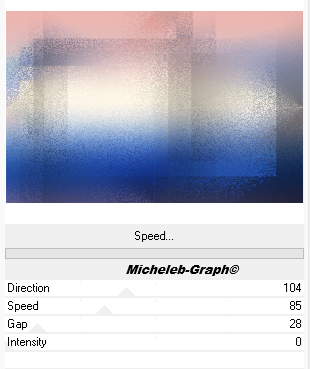 6 Selections - Load/Save a selection - From disc - Load the Miss-Kitty selection. 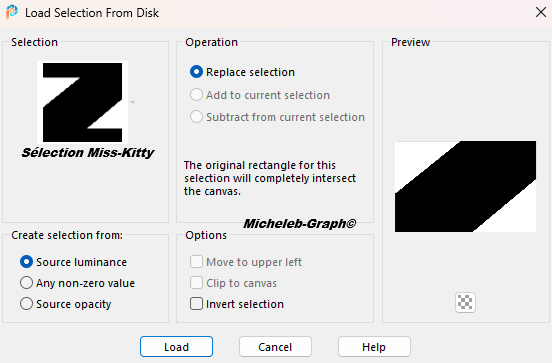 Transform the selection into a layer. 7 Filters - Richard Rosenman - Grid Generator. Press DRAW BACK and then DRAW BORDER. 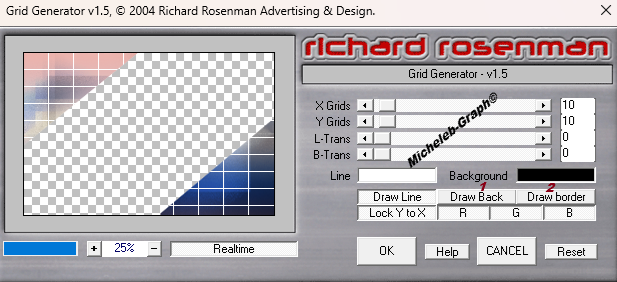  8 Effects - Image effects - Seamless mosaic. 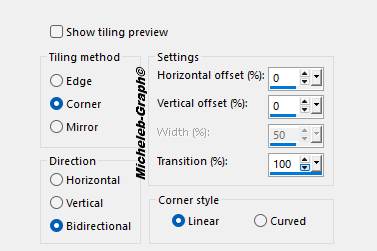 Layer opacity: 67%. 9 Layers - New raster layer. Paint Can Tool - Fill the color layer #d4a0a7. Lift up the Miss-Kitty mask. Layers - New mask layer - From an image - Select the mask from the list. 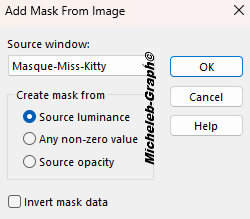 Layers > Merge the group. 10 Raise the Tube-Miss-Kitty-<GerardMansoif. Edit > Copy. Edit > Paste as new layer. Image > Resize this layer to 85%. Objects < Align > Left. 11 Take down the text layer-Miss-Kitty. Edit > Copy. Edit > Paste as new layer. Position (K on your keyboard) 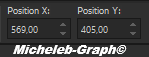 "M" to deactivate 12 Lift up the perles-Kitty-png layer. Edit > Copy. Edit > Paste as new layer. Position (K on your keyboard) 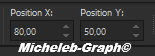 "M" to deactivate 13 Image > Add 5-pixel color borders #f5f0ea Image > Add 5-pixel color borders #d4a0a7 Image > Add 10-pixel color borders #f5f0ea Image > Add 2-pixel color borders #d4a0a7 Image > Add 50-pixel color borders #f5f0ea 14 Magic wand tool - Zero tolerance - Select the border. Filters - PhotoEffex - ScanLines. 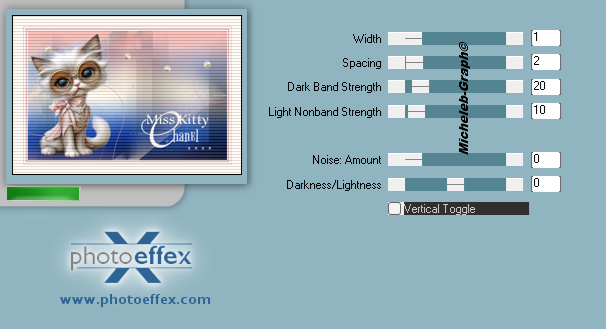 15 Selections - Reverse. Effects - 3D Effects - Drop shadow 1 / 1 / 50 / 30 of color #000000 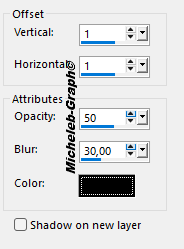 16 Add your signature. Add Belinda’s signature Add my signature Translation Micheleb-Graph Image - Add 1-pixel color borders #d4a0a7 Image - Resize to 950 pixels wide. File - Save as JPEG. Your image is finished Can you send it to me by email  Version of my tester Irene  INDEX  Ce(tte) œuvre est mise à disposition selon les termes de la Licence Creative Commons Attribution - Pas d’Utilisation Commerciale - Pas de Modification 3.0 France. |