
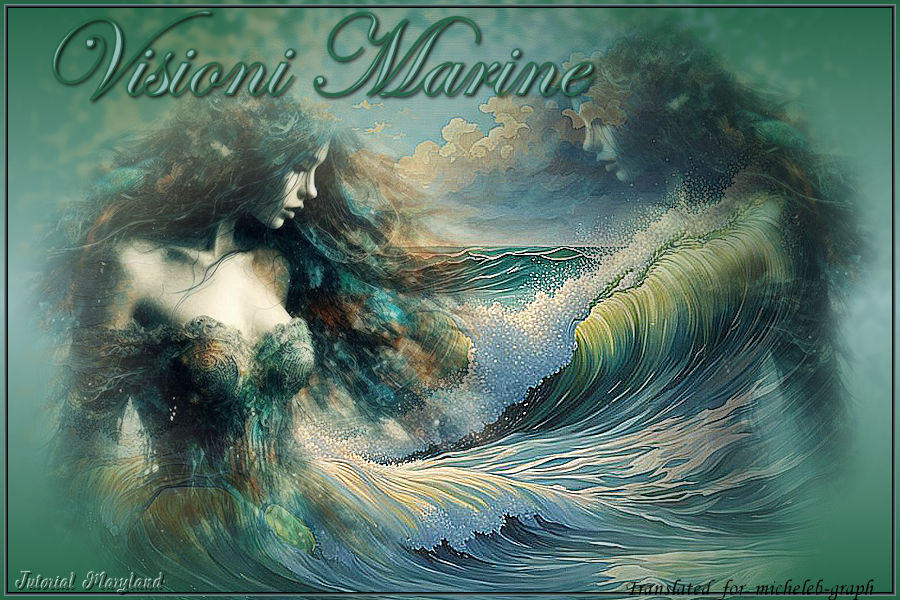
For my personal version, I thank Tina for sharing the image.

I thank MaryLand for allowing me to translate their tutorials into English
Link to the original lesson HERE
.png)
Material

Les tubes de la version originale sont faite par Pqna et LadyVallela.
Filters
Mehdi - Melt 1.1
Colors
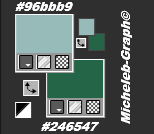
1
Open a new transparent image of 900 x 600 px
Fill in with the following Linear gradient:
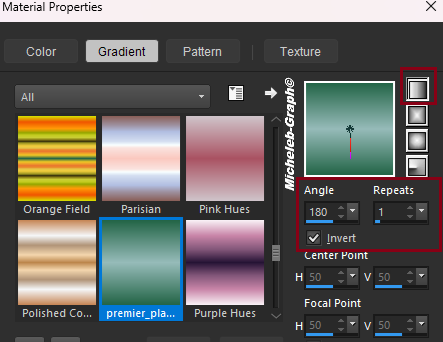
2
Open and copy the tube 20108_MP (A.I.@LVallela24). png
Paste as new layer
Setting - blur - Gaussian blur at 40
Filters - Mehdi - Melt 1
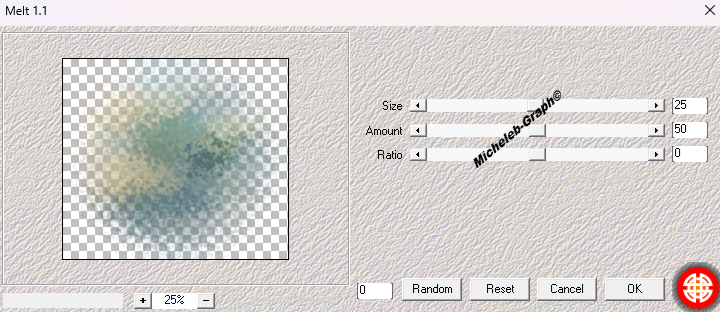
3
Open and copy the 2018-MP tube (A.I.LValella24) again. png
Paste as new layer
To describe it slightly
Effects - edge effects - accentuate more
4
Open and copy the Pqna tube
Paste as new layer
Image - resize to 80% (All layers NOT checked)
Image - mirror - horizontal mirror
Object - aligned - low
Object - aligned - left
5
Layers - duplicate
Image - mirror - horizontal mirror
Move slightly up
Layers - rearrange - move 2x down
Merge Mode - Multiply
The image must be below the wave
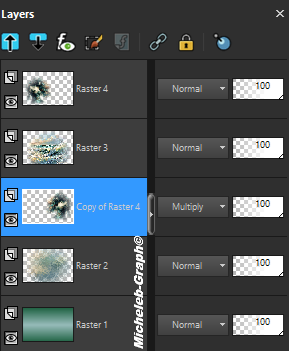
6
Layers - merge - merge - all
Open and copy the text tube
Paste as new layer
Effects - 3D - Drop Shadow: V&H 2 - 85 - 5 - #000000
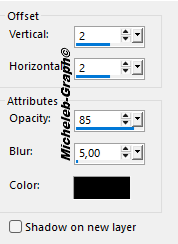
Position (K on your keyboard)
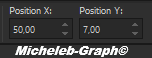
"M" to deactivate
Selections - select all
Selections - edit - contract to 4
Selections - reverse
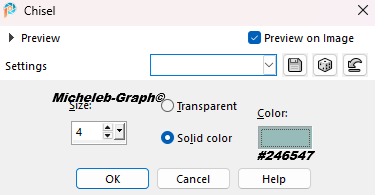
Effects - 3D - Scissors

7
Add your signature
Add GraphicMaryland’s signature
Add my signature Translation Micheleb-Graph
8
Layers - merge - merge all
Save as. Jpg
Your image is finished
Can you send it to me by email

Version of my tester
Irene

INDEX

Ce(tte) œuvre est mise à disposition selon les termes de la Licence Creative Commons Attribution - Pas d’Utilisation Commerciale - Pas de Modification 3.0 France.